

Content
Collection Log
Track obtained uniques across bosses, raids, Wilderness content, clue tiers and packages, then claim completed-log rewards.
Content
Track obtained uniques across bosses, raids, Wilderness content, clue tiers and packages, then claim completed-log rewards.
Open Adventure Guide → Collection Log to track unique rewards. Select a category and activity to see its item list, what you have obtained and the completion reward.
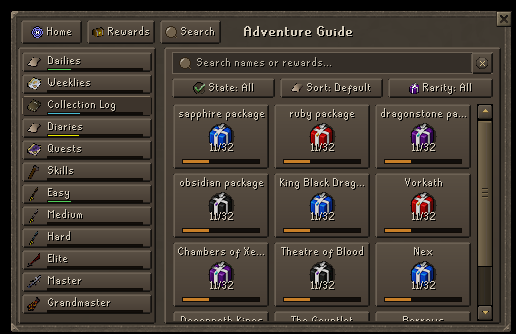
Obtain the listed drops through their associated activities. The log records reward drops, not a checklist of everything currently in your bank; purchasing an item is not a substitute for receiving its logged drop. Open the selected log to inspect missing entries and activity counts.
Rewards differ by activity and may include coins, packages, keys or scrolls. Use the reward shown for your selected collection rather than assuming all bosses share one reward. Obtaining a duplicate still increases the recorded amount, but does not award another completion claim.
Plan missing uniques with the drop viewer, pet hunting guide and clue guide.